An interactive installation on human connection

Under the
Same Sky

We are not meant to shine alone.

Move your cursor · pause near a star
01 · Where it started
“When have you felt connected to something bigger than yourself, without anyone telling you what it meant?”
Singing with familyVoices that only make sense together.
Looking up at the night skyFeeling small and part of something at once.
Sitting in a templeQuiet, shared space with strangers.
Making something by handBuilding alongside people you love.

None of those moments came with an explanation. So we built a sky on the floor: something meaningful to do together, with room for each person to decide what it means.

02 · The experience

It only becomes beautiful
when people are close.

  1. Arrive

    An empty floor is a living cosmos: drifting nebulae, rotating galaxies and shooting stars, bright enough for a lit room.

  2. Enter

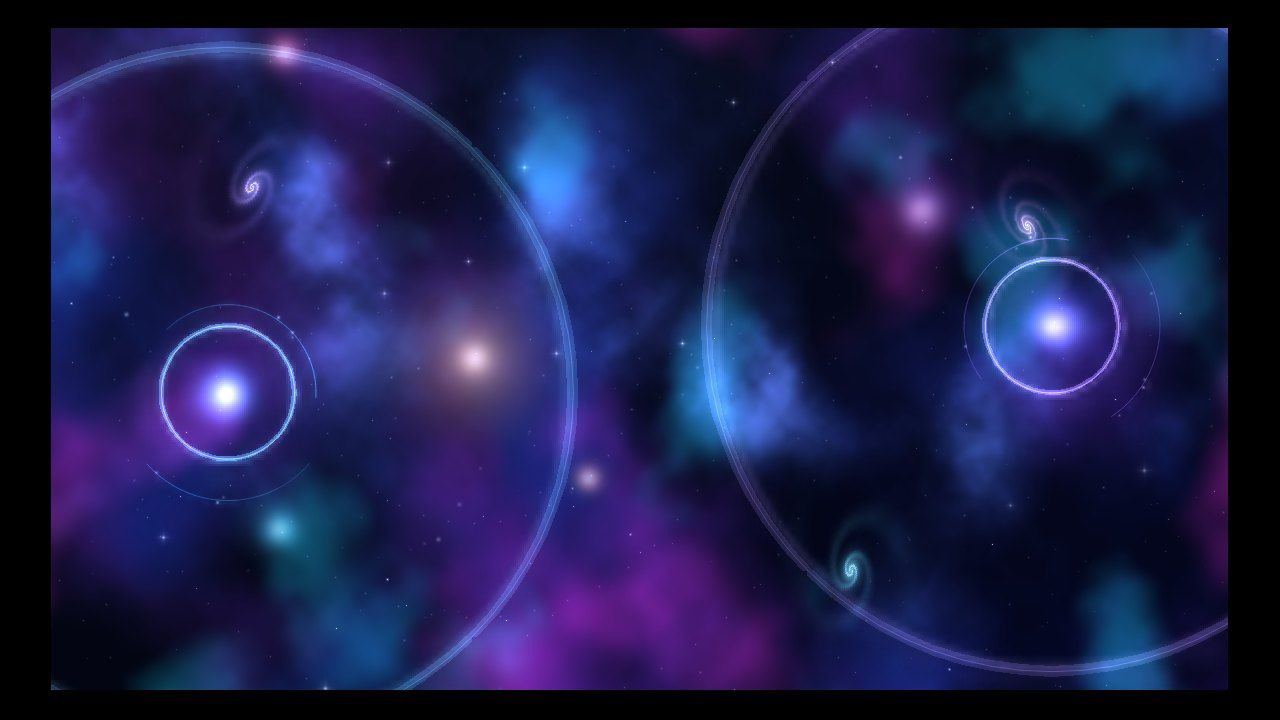
    Step on and a glowing ring opens at your feet, with two slow arcs orbiting every 15–20 seconds. Each person keeps their own colour.

  3. Be noticed

    A second person arrives and a single ripple spreads across the sky, once per arrival, never re-triggered by tracking flicker.

  4. Connect

    Pause within about 1.6 m for a second and a thread of light grows between you, sending one pulse each way. Then a quiet question appears.

  5. Form

    Groups become a sparse constellation, up to seven people. Triangles pulse softly. The clutter of the cosmos fades so people are the stars.

  6. Let go

    Walk apart and the thread dissolves back into stardust. Everyone eases back into a calm solo orbit, nothing ever speeds up or shouts.

03 · The real floor

Built and tested in one afternoon.

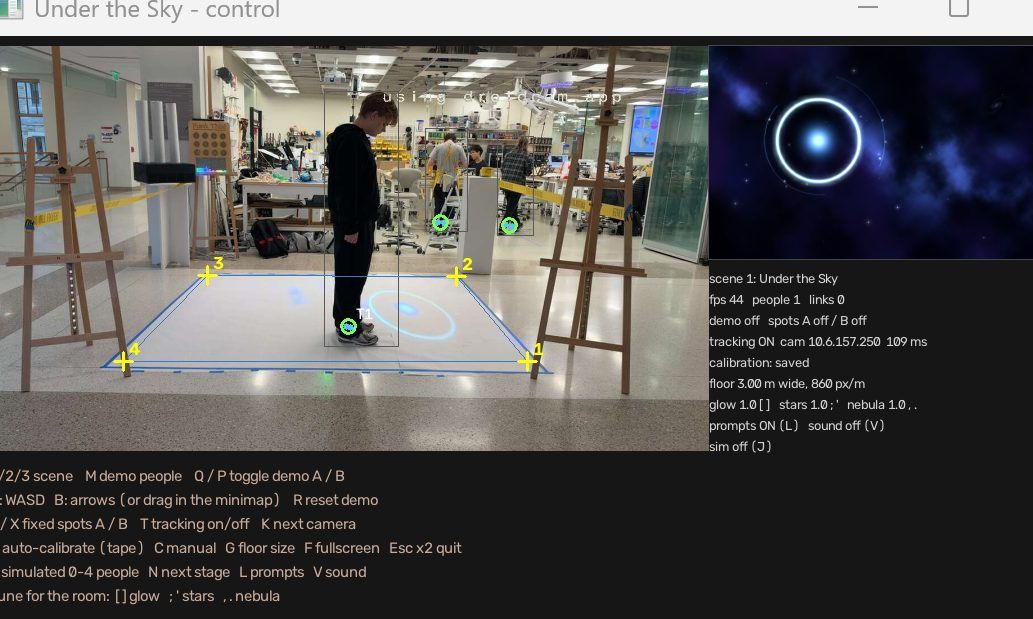
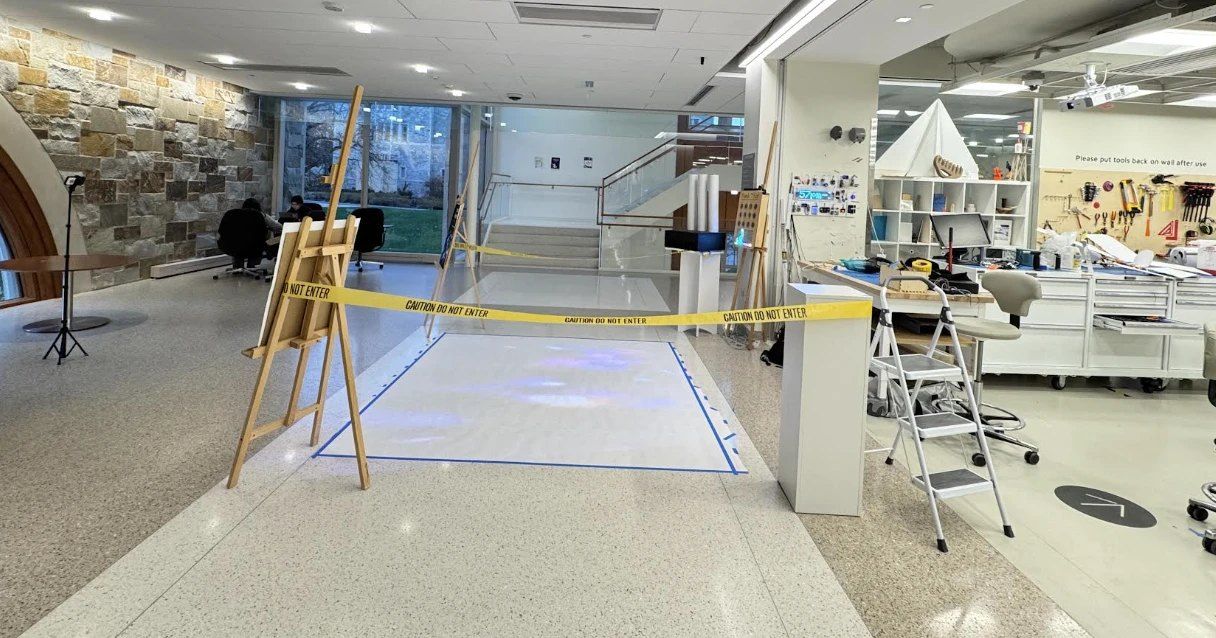
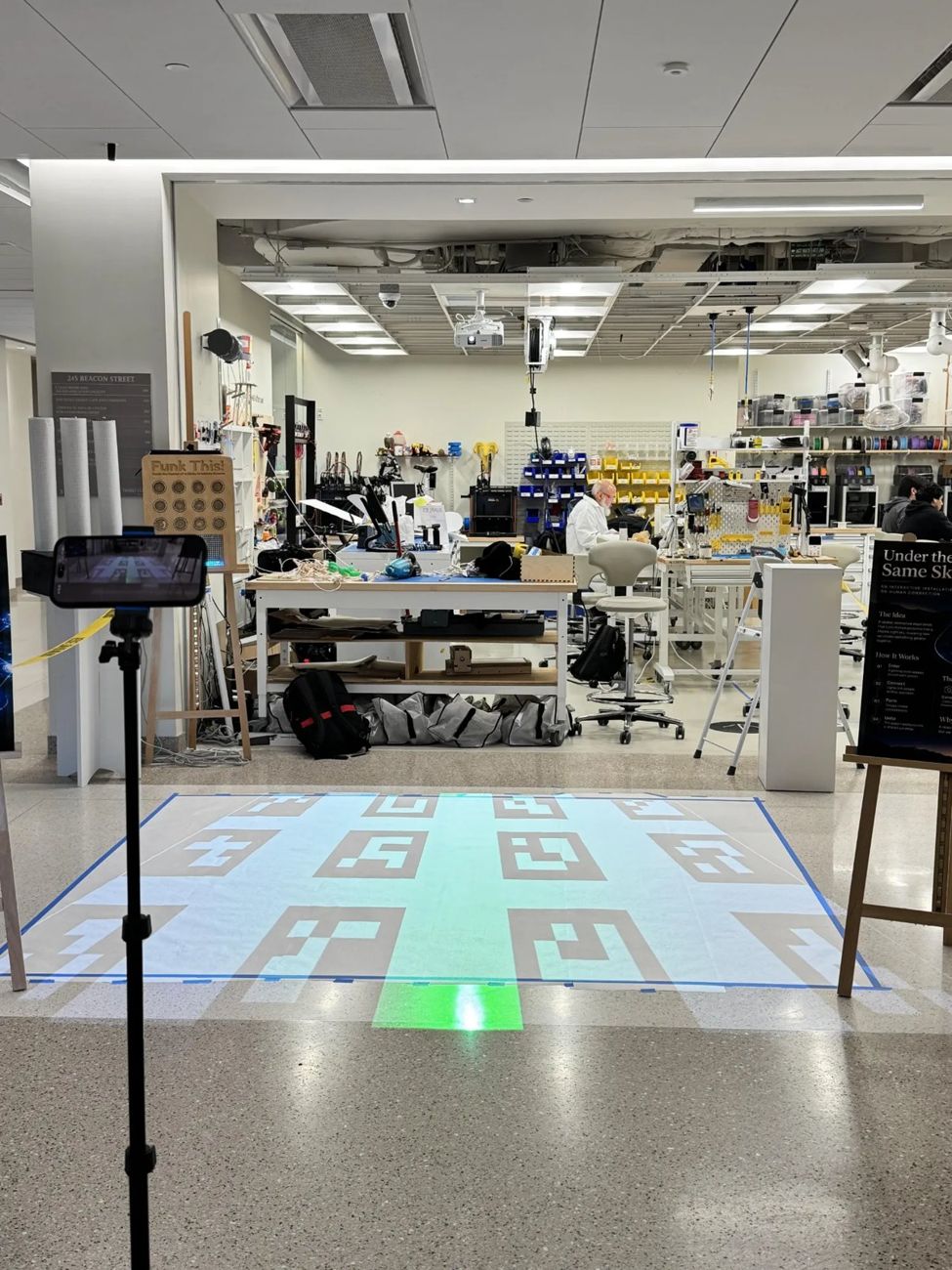
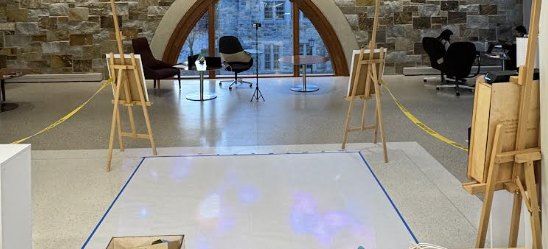
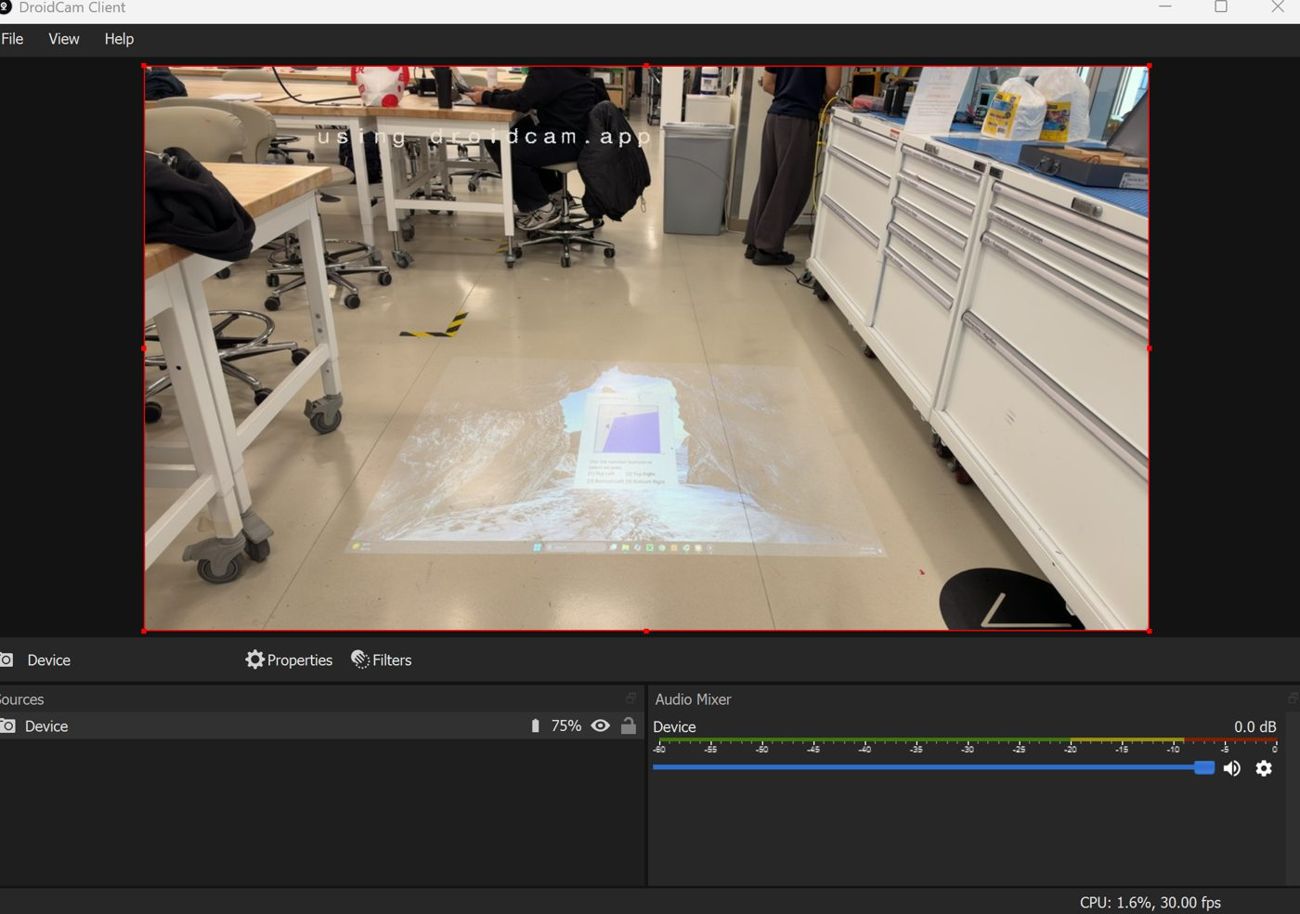
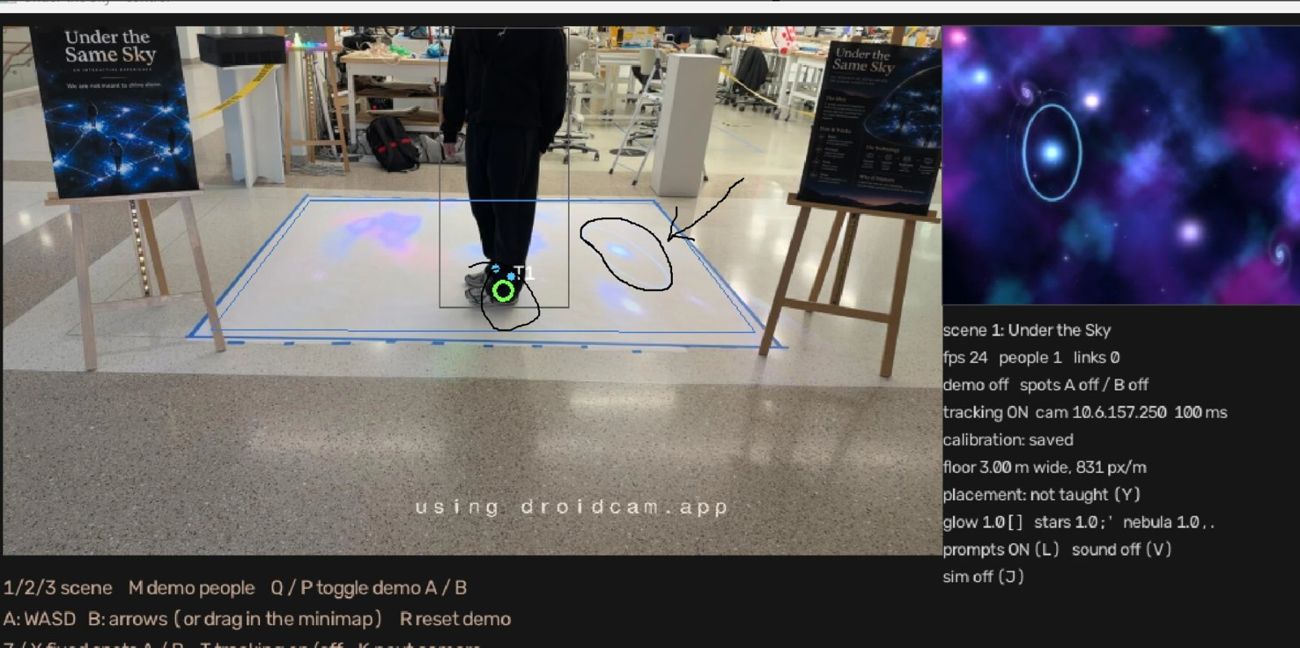
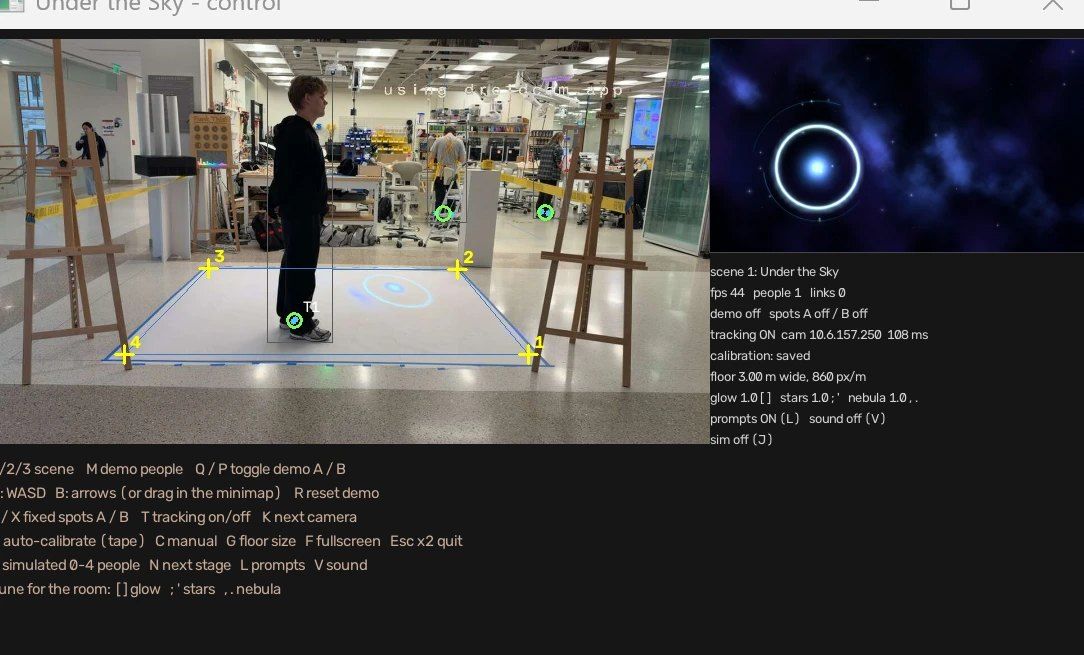
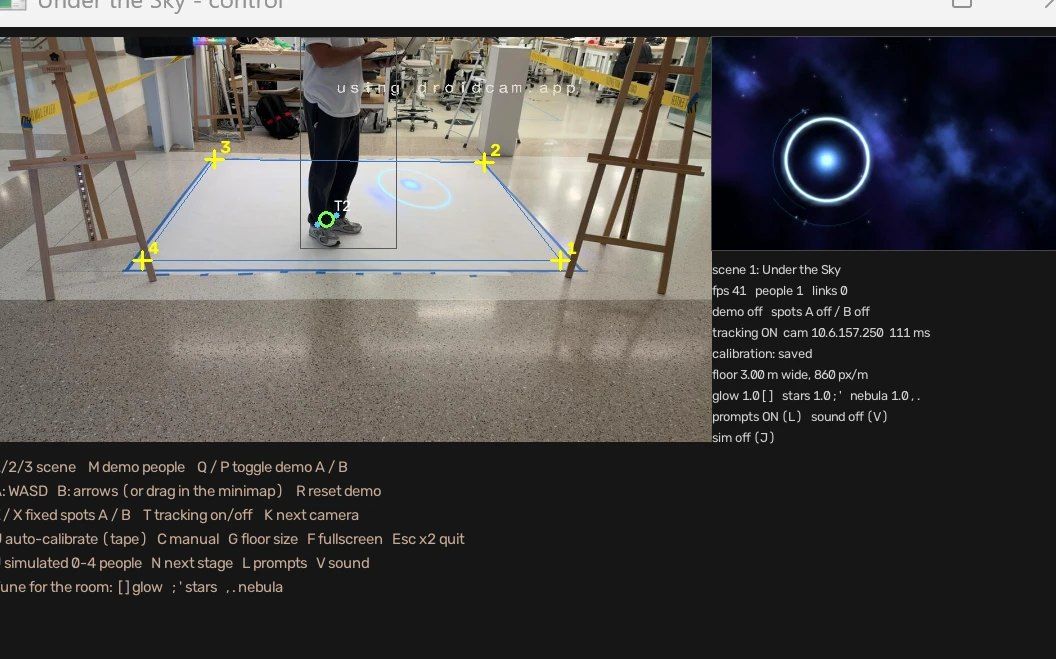
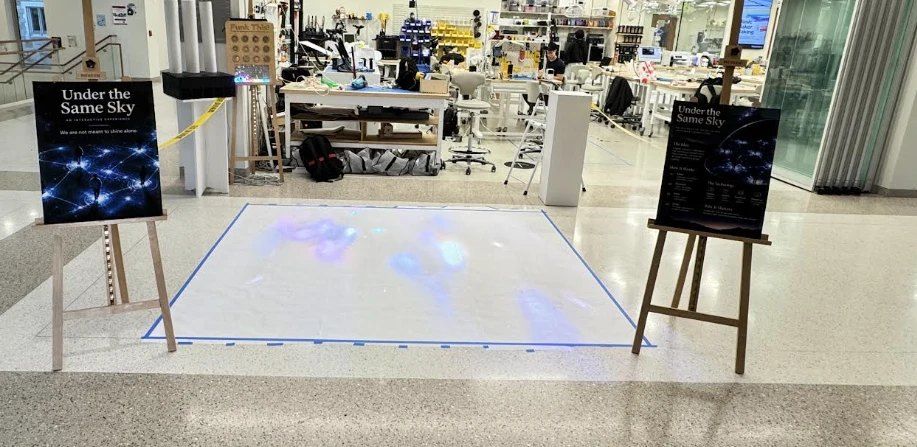
A projector aimed at the floor, a phone on a tripod as the camera, blue tape for the play area and two poster easels. Everything below is the actual installation.
04 · How it works

From a camera frame
to a thread of light.

Everything runs live on one laptop in Python. No video files, no pre-rendered animation. Every star is drawn every frame.

Phone cameraDroidCam MJPEG over Wi-Finewest frame only YOLO11 poseankle keypoints → feetcropped to the taped box Trackerstable IDs, velocityprediction, rejoin grace Floor mappinghomography camera → floormetres, keystone-correct The skyPygame, additive glowrings, threads, ripples Projectorfullscreen on display 2onto the floor
Phone cameraDroidCam MJPEG over Wi-Fi, newest frame only
YOLO11 poseAnkle keypoints become a foot point, only inside the tape
TrackerStable IDs, velocity prediction, rejoin grace
Floor mappingHomography from camera pixels to floor metres
The skyPygame additive glow: rings, threads, ripples
ProjectorFullscreen on the second display

Feet, not bodies

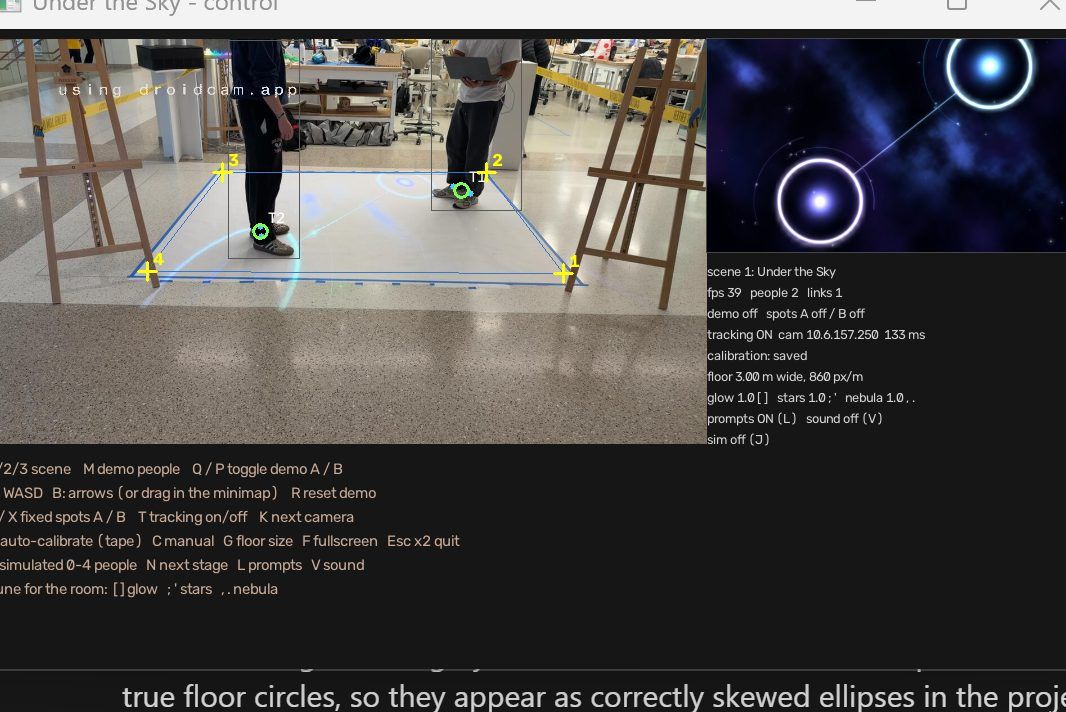
Pose keypoints give the ankles; the foot point is pulled toward the bottom of the person's box, so the ring lands under your feet even when one leg is hidden.

Circles on a skewed floor

The projector hits the floor at an angle. Rings, arcs and ripples are drawn as true circles in floor metres and warped back, so they look round to the person standing in them.

Calm by design

A thread needs a one-second pause, survives half-second dropouts and dissolves with grace. One ripple per arrival. Orbits never speed up.

05 · Calibration

Rings that missed your feet,
and how we fixed them.

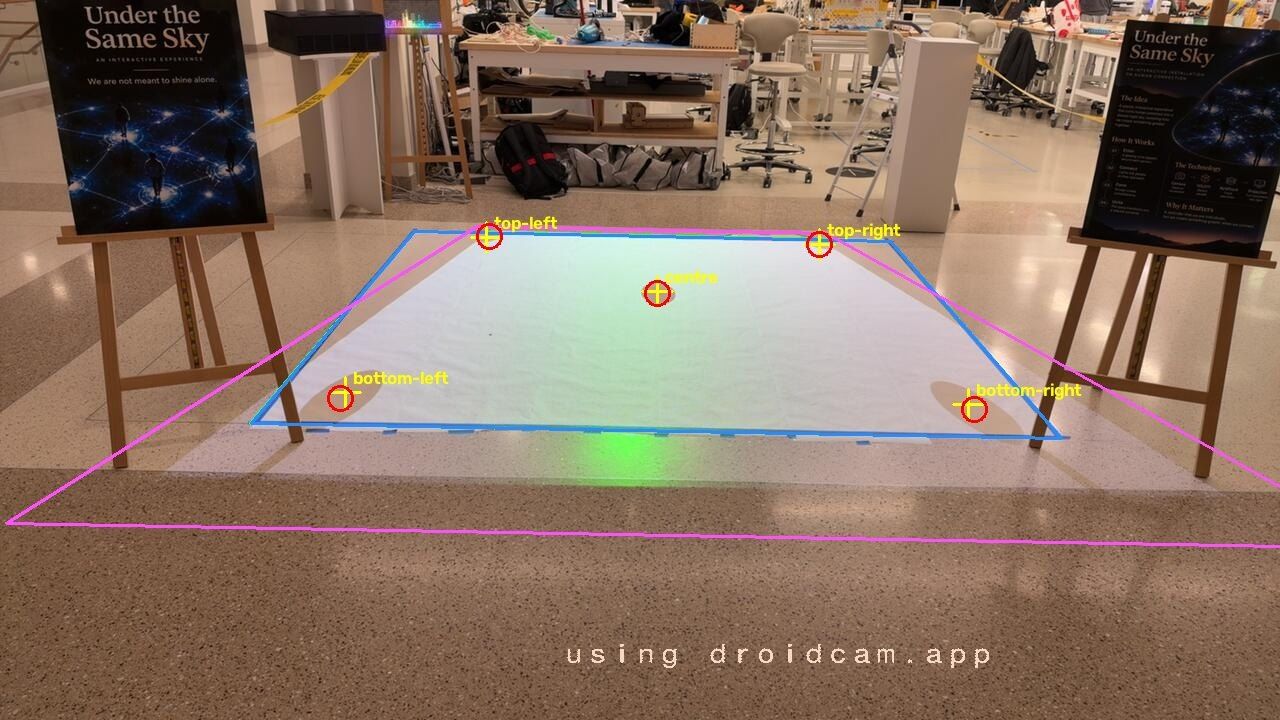
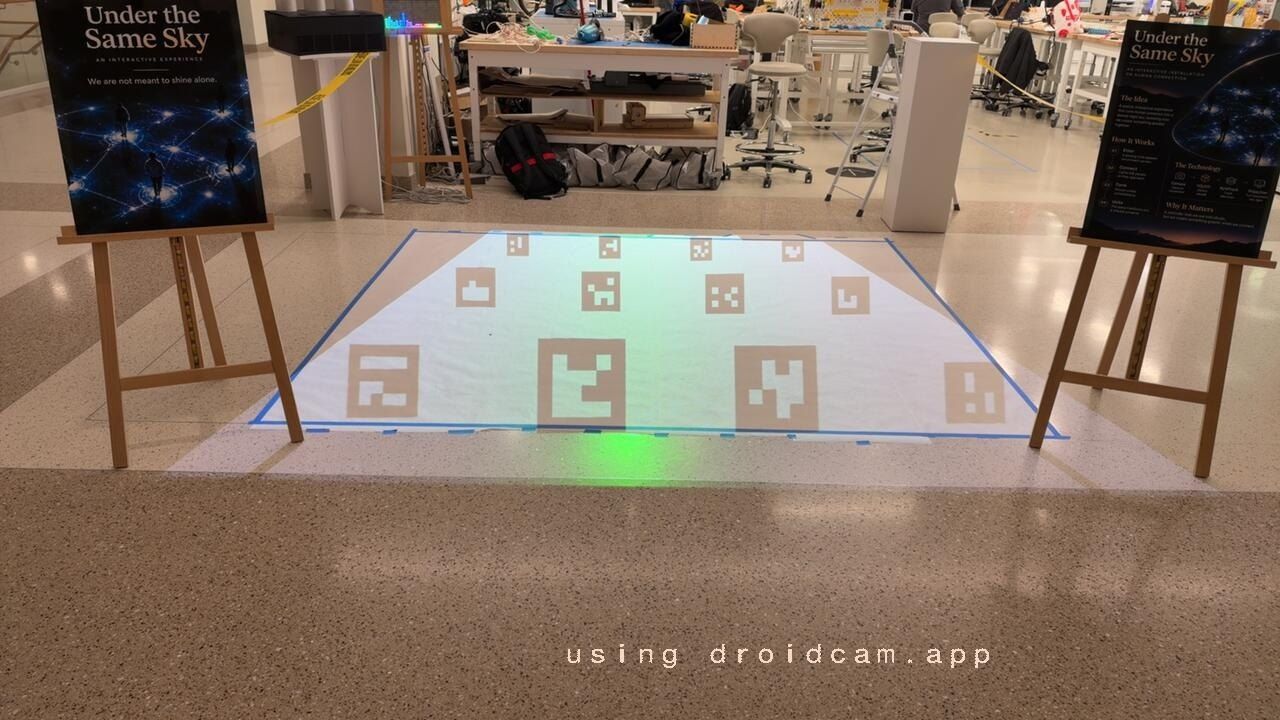
We recalibrated six times by hand before building a verified auto-calibration: press U and the projector draws numbered markers, the camera reads them, and the app checks itself before saving anything.
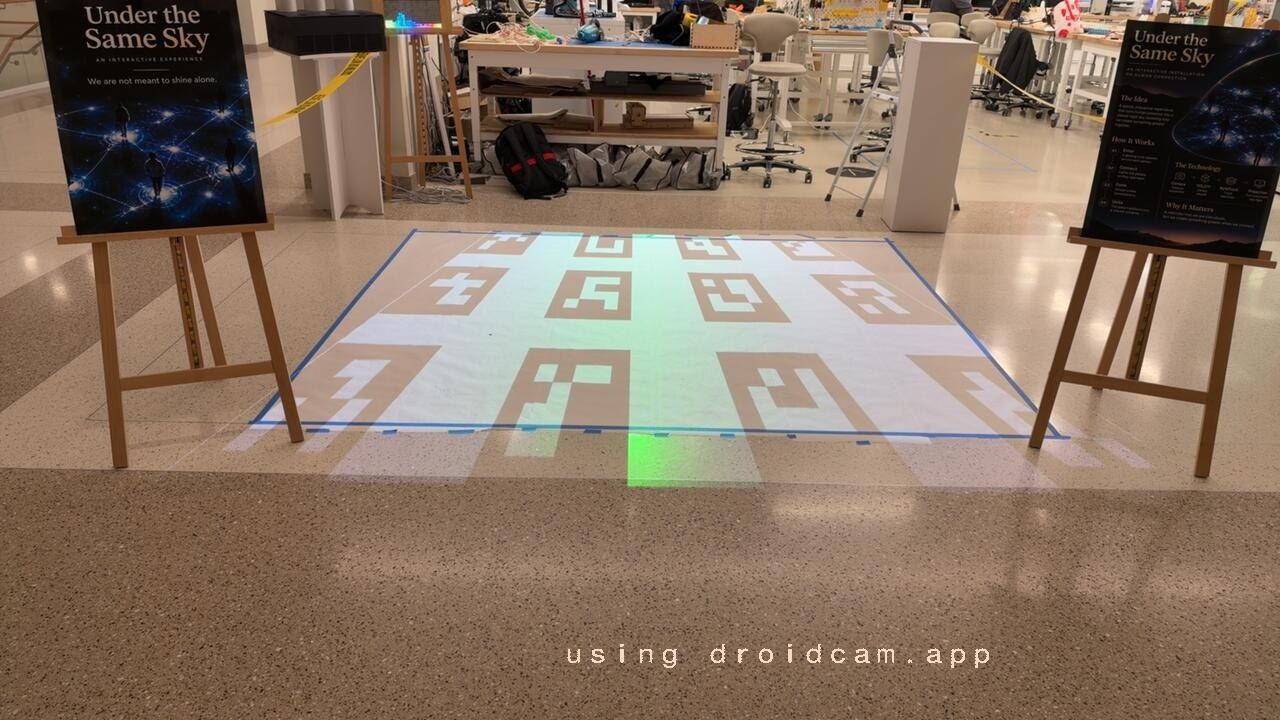
First calibration grid of ArUco markers projected on the floor
1 · Markers. A grid of numbered ArUco markers, matched by ID so camera orientation never matters.
Adaptive markers pre-shaped to look square to the camera
2 · Pre-shaped. Far markers are drawn stretched so they look square to a low camera, then fitted robustly.
Verification targets with measured error at the centre and four corners
3 · Verified. Five targets are projected and measured: 0–2 cm error. If it fails, the old calibration is kept.
Before: the ring lands beside the person's feet After: the ring lands under the person's feet BeforeAfter
06 · Three skies

One idea, three moods.

Under the Sky scene with two rings and a thread

1Under the Sky

The hero scene: nebulae, galaxies, a sun and planets orbiting whoever stands alone.
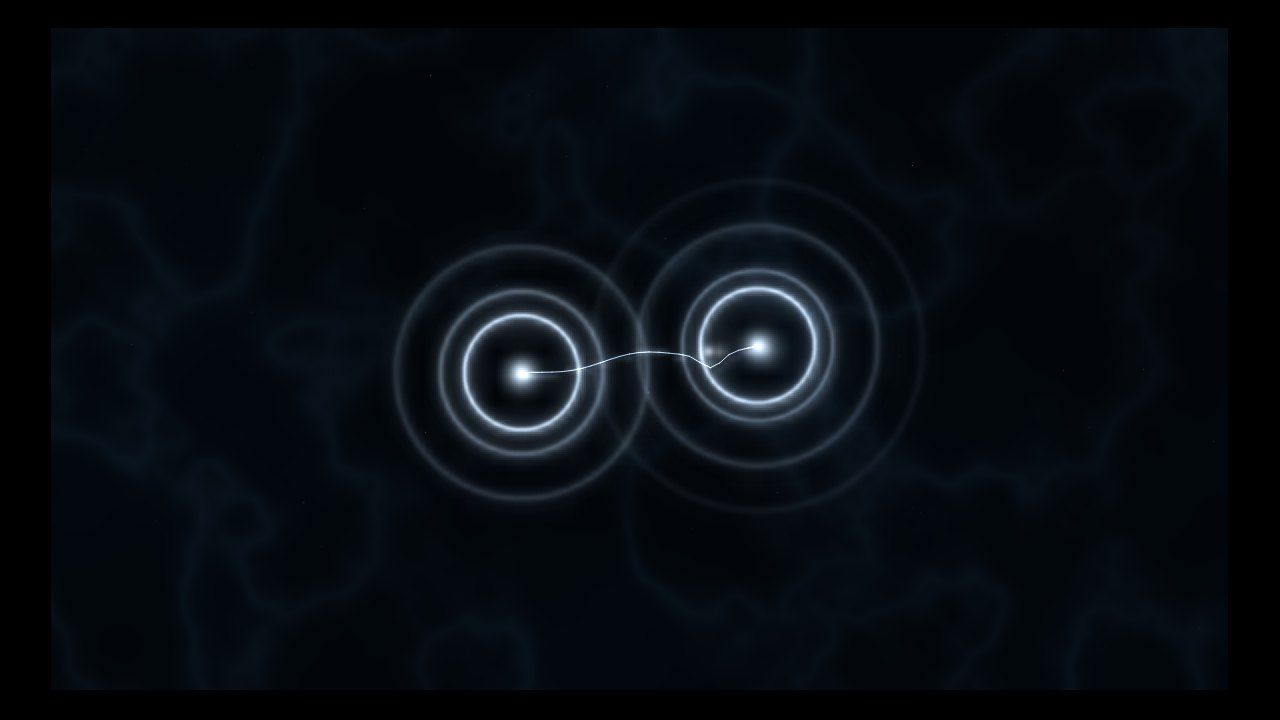
Still Water scene

2Still Water

Dark, slowly drifting water with silver glints; rings and threads glow like reflected moonlight.
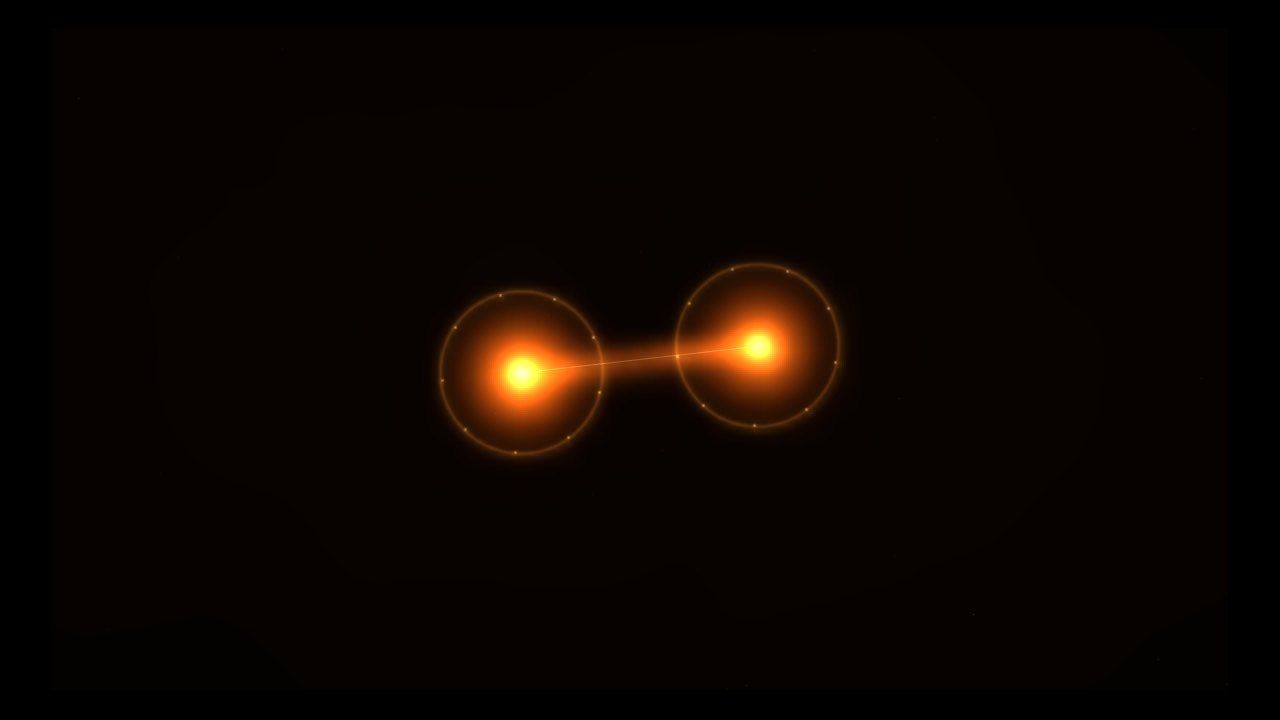
Temple Light scene

3Temple Light

A warm amber glow with rising embers, like lamp light in a quiet temple.

07 · Visual identity

The posters at the door.

Two easels frame the floor, one telling people why, one showing how. The site you are reading borrows their gold and night blue.
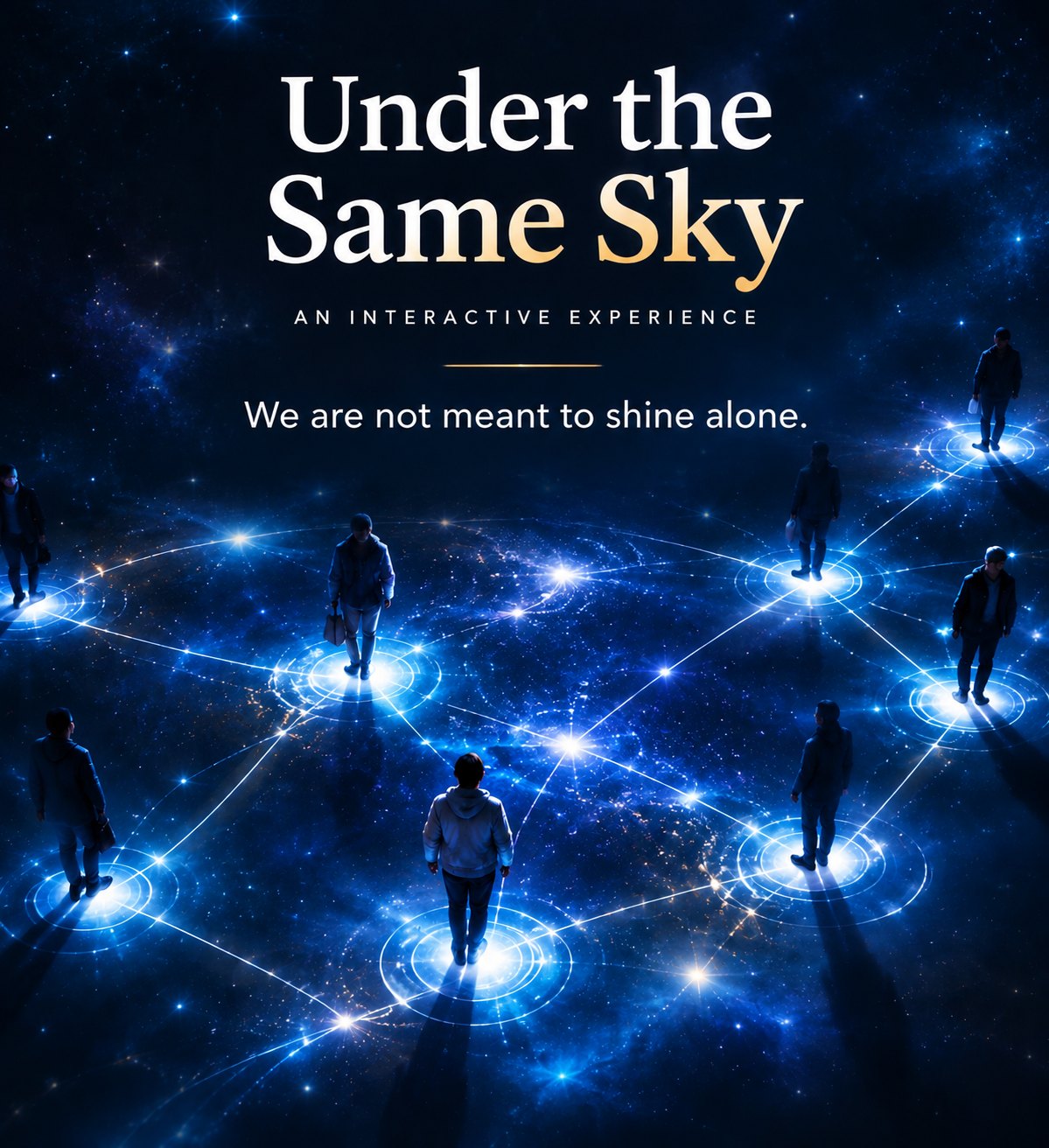
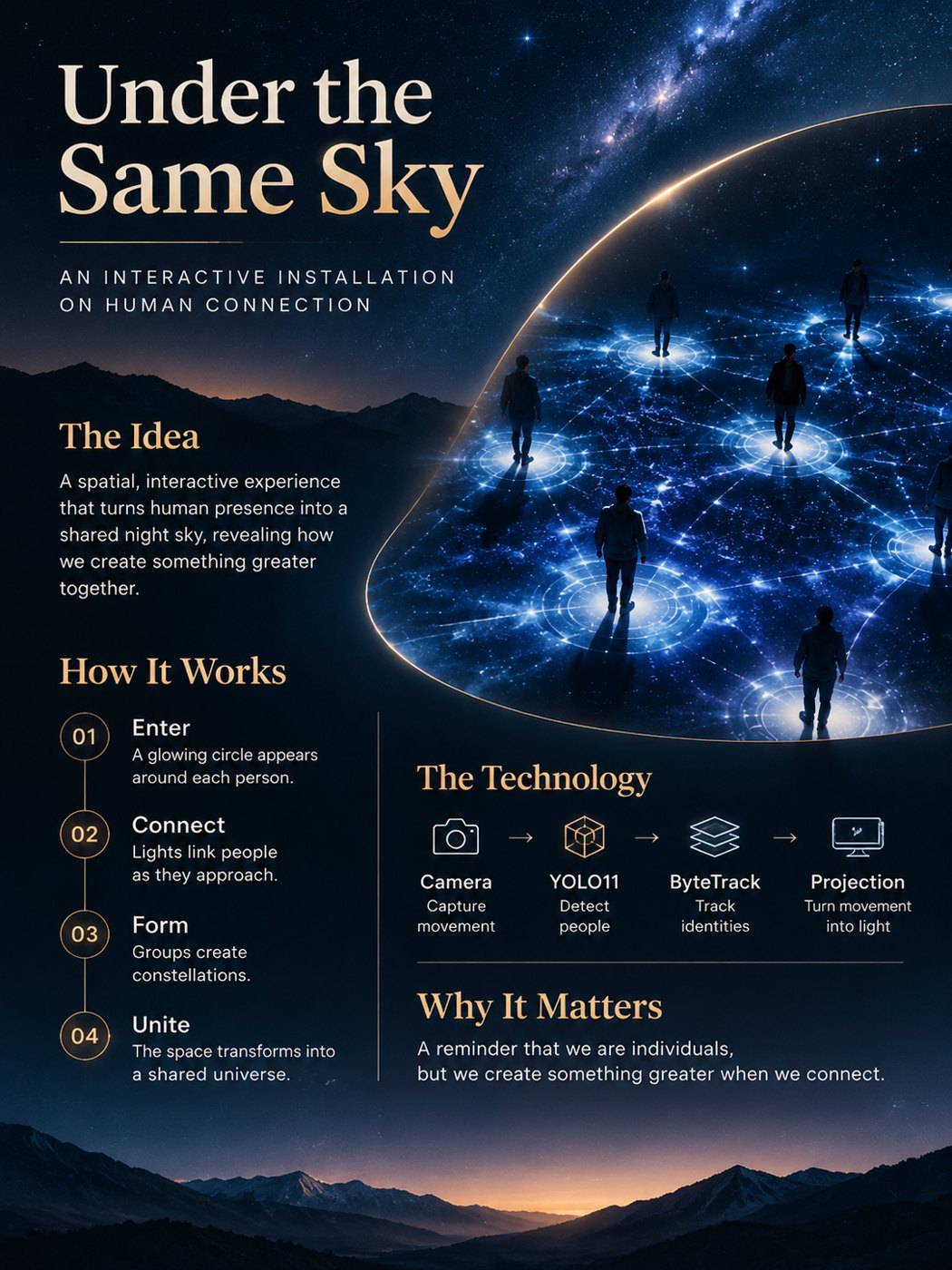
Poster: Under the Same Sky, an interactive experience
“We are not meant to shine alone.”
Poster: the idea, how it works, the technology and why it matters
Enter · Connect · Form · Unite.
08 · Team

Two people, one afternoon.

Vedarsh Mishra

Software & tracking
  • Pose tracking pipeline: camera, YOLO, tracker
  • Rendering the sky, rings, threads and scenes
  • Calibration, auto-calibration and teach placement
  • Simulation and automated tests
@pathseekingscholar ↗

Uladzislau (Vlad) Hoila

Concept, space & testing
  • The guiding question and experience design
  • Posters and visual identity
  • Physical setup: projector, tape, easels, camera
  • Walking the floor to test and tune tracking
@Pafos1k ↗
MorningAsked the question and settled on the design principle.
11:12Projector on the floor, phone camera streaming to the laptop.
12:19First night sky rendered by our code; first simulations of 0 to 4 people.
15:02First live trials with a person tracked; rings fixed to look round on a skewed floor.
16:52Auto-calibration passes with pre-shaped markers, 0–2 cm error.
17:21Final calibration saved. Ready for the Hatchery.
09 · Run it yourself

Try it with no camera at all.

# install (Windows, Python 3.10+)
python -m venv .venv
.venv\Scripts\python -m pip install -r requirements.txt

# two keyboard people, no camera
.venv\Scripts\python main.py --demo

# a scripted crowd of 0–7 people
.venv\Scripts\python main.py --sim

# live: phone camera by IP, or a webcam index
.venv\Scripts\python main.py --camera 192.168.1.20
.venv\Scripts\python main.py --camera 0
1 2 3Switch scene WASDMove demo person A (arrows for B) UAuto-calibrate from the projected markers GType the measured floor size YTeach placement: click where the ring should be JSimulated crowd LQuestions on / off VQuiet ambience on / off Esc ×2Quit